Article 5 of our Digital Transformation Journey. We've covered why (Articles 1-2), what success looks like (Article 3), and the mindset shift needed (Article 4). Today: HOW to actually do this.
"Where do I even start?"
This is the question we hear most after business leaders read the first four articles in this series. They've:
- Recognized the warning signs in their business (Article 1)
- Calculated the cost of inaction (Article 2)
- Seen what's possible (Article 3)
- Understood the reactive-to-proactive shift (Article 4)
They're convinced. They're ready. And they're overwhelmed.
There are a thousand ways to approach digital transformation. One vendor says start with CRM. Another says cloud infrastructure first. Someone else insists you need AI. Your IT person recommends something different. Your business partner read an article suggesting another approach entirely.
Here's the good news: Despite different industries, sizes, and specific solutions, successful transformations follow the same pattern. They build on the same three-pillar foundation.
Today we're giving you that framework—the one that works whether you're a 15-person service company or a 200-person manufacturer.
Why Most Transformations Fail: They Skip the Foundation
Before we dive into the framework, let's talk about why so many businesses fail at this.
The Common Mistakes:
- Jumping to solutions before defining problems ("We need AI!")
- Technology-first instead of business-first thinking
- Trying to fix everything simultaneously
- Choosing tools before understanding processes
- Skipping foundation work to get to "exciting" features
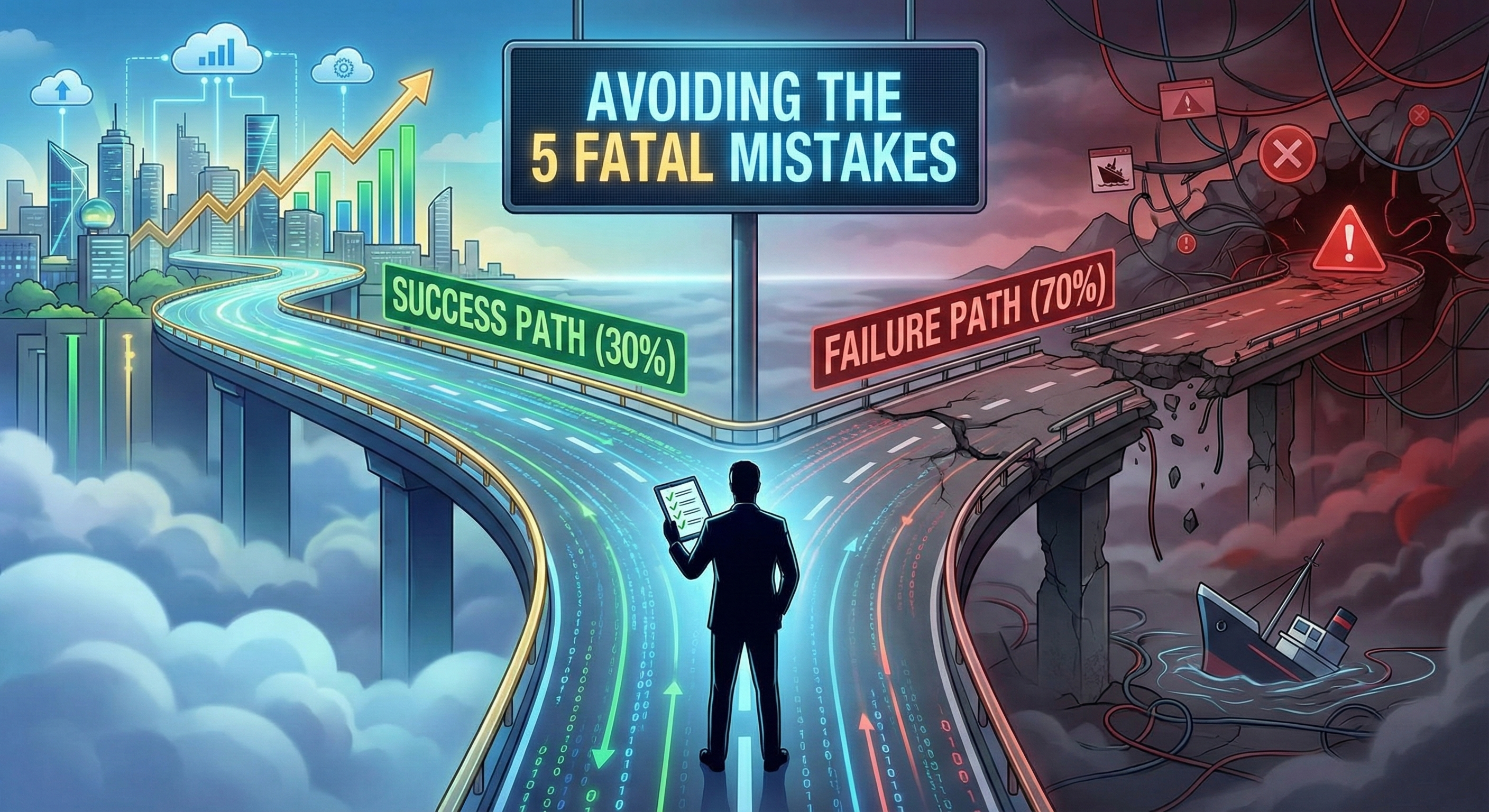
The Result: Expensive mistakes, team frustration, abandoned projects, and becoming part of the 70% failure statistic.
But here's the thing: The foundation determines everything that follows. You can't automate what you can't see. You can't integrate what isn't visible. You can't scale chaos.
That's why successful transformations all start with the same foundation.
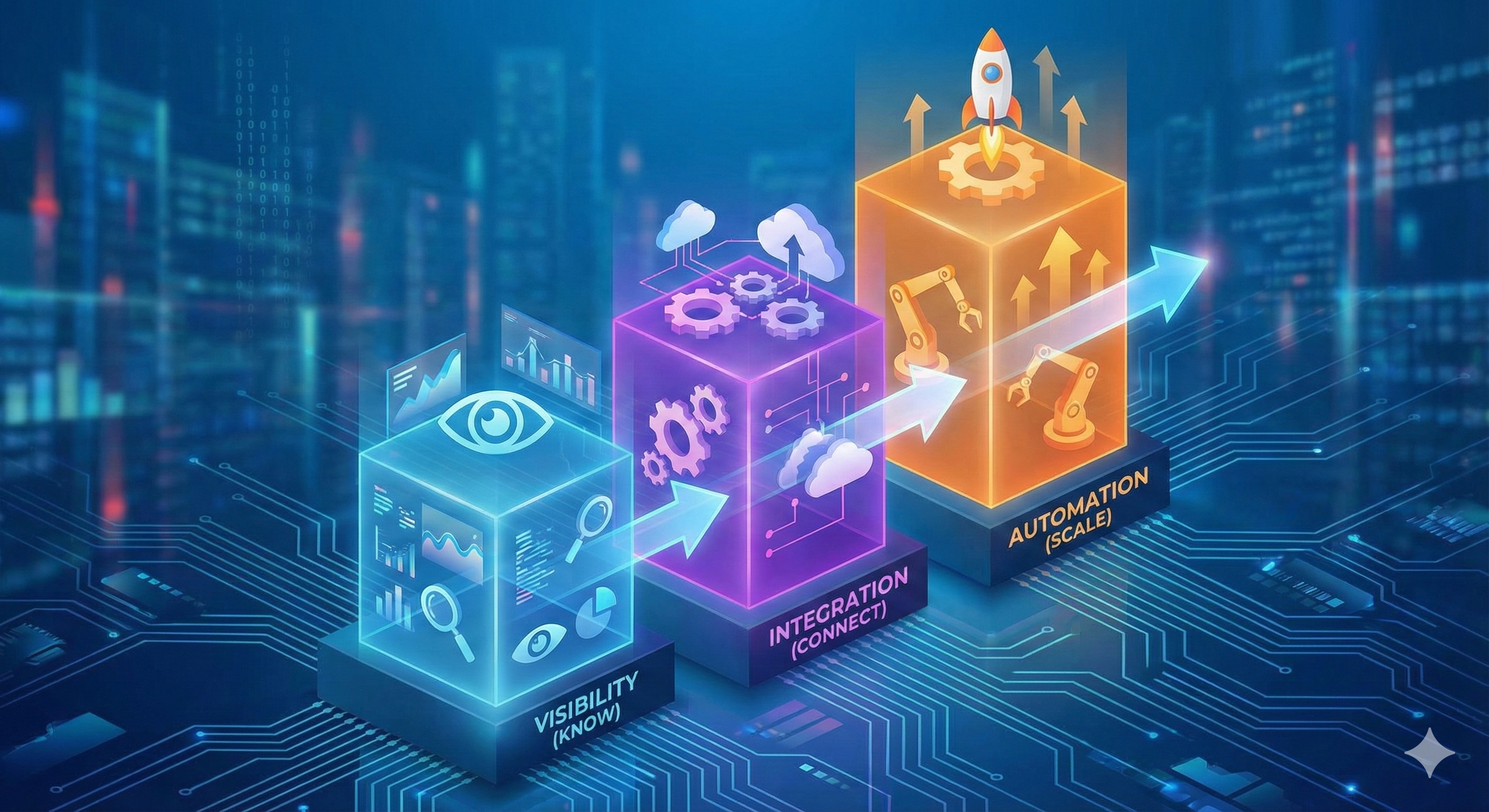
The 3-Pillar Framework
Every successful transformation builds these three pillars in this specific order:
Pillar 1: VISIBILITY (Know)
Understanding what's actually happening in your business. Real-time access to data. Single source of truth. The ability to see problems and opportunities clearly.
Pillar 2: INTEGRATION (Connect)
Making systems work together automatically. Eliminating manual data transfer. Creating unified views of customers, projects, operations.
Pillar 3: AUTOMATION (Scale)
Removing manual bottlenecks. Workflows happening automatically. Proactive alerts. The ability to grow without proportional headcount increases.
Why This Order Matters:
- You can't automate what you can't see clearly (automating chaos creates faster chaos)
- You can't integrate effectively without visibility into what needs connecting
- Each pillar supports and amplifies the next
- Trying to do all three simultaneously leads to overwhelm and failure
Let's go deep on each pillar.
PILLAR 1: VISIBILITY (KNOW)
What Visibility Actually Means
Not just "we have data somewhere." Visibility means:
- Real-time access to critical business metrics
- Single source of truth (not multiple conflicting versions)
- Clarity on operations, finances, customers
- Ability to spot trends and anomalies quickly
Think back to Article 3's examples—the owner checking his phone at lunch and seeing real-time job status and profitability. That's visibility.
Why It's First
You can't improve what you can't measure. More importantly, you can't make good decisions without good information.
Right now, if someone asked you:
- What's your current sales pipeline value?
- Which customers are most profitable?
- Where does your team spend their time?
- What processes have the biggest bottlenecks?
- How satisfied are your customers today?
Could you answer in under 2 minutes with confidence?
If not, you have a visibility problem. And until you solve it, everything else is guessing.
Self – Assessment for visibility
PILLAR 2: INTEGRATION (CONNECT)
What Integration Actually Means
Not just "systems can talk" in some technical sense. Integration means:
- Data flows automatically between systems
- No double-entry or manual data transfer
- Information appears where it's needed, when it's needed
- One change updates everywhere automatically
- Unified view of customers, projects, operations
Why It's Second
Once you can see what's happening (Pillar 1), the next problem becomes obvious: Your data is scattered across disconnected systems.
Remember the warning signs from Article 1?
- "Spreadsheet Shuffle" = integration problem
- "Ask Sarah Syndrome" = integration problem
- "Customer Information Chaos" = integration problem
Integration solves these.
The Integration Assessment
Common integration gaps:
- CRM doesn't talk to accounting
- Project management separate from time tracking
- E-commerce disconnected from inventory
- Customer support isolated from sales history
- Marketing automation siloed from CRM
- Spreadsheets bridging system gaps
Count your integration gaps: How many times does the same data exist in 2+ places? That number is your integration opportunity.
Many mid-size businesses have 10-25 significant integration gaps. Each one represents:
- Hours of manual work weekly
- Opportunities for errors
- Delayed information flow
- Frustrated team members
The Integration Hierarchy: What to Connect First
Not all integrations are equally valuable. Prioritize this way:
Tier 1 (Critical): Revenue Cycle Integration
Connect systems that touch your revenue process: Sales → Proposal → Contract → Project/Delivery → Billing → Payment → Accounting
Why This First: Revenue cycle integration directly impacts cash flow, profitability visibility, and customer experience. Highest ROI.
Tier 2 (High Value): Operational Integration
Connect systems that run your operations:
- HR → Payroll → Project Management
- Inventory → Purchasing → Sales
- Time/Expenses → Project Costing → Profitability
Tier 3 (Efficiency): Support System Integration
Connect supporting tools:
- Communication tools → Project tools → CRM
- Document management → Workflow
- Calendar → Scheduling → Capacity planning
Building Integration: The Action Steps
Step 1: Map Your Current Systems and Data Flows
Literally draw it out:
- List all systems (including spreadsheets)
- Draw how data moves between them
- Mark manual transfer points (these are integration opportunities)
- Identify where same data exists multiple places
- Note where data gets "stuck" or delayed
This exercise alone is eye-opening. Many businesses discover they have 15-20 systems they didn't realize were distinct.
Step 2: Identify Redundant Data Entry Points
Go through your map and highlight every place where:
- Someone manually enters the same data twice
- Someone copies/pastes between systems
- Someone exports from one system to import into another
- Spreadsheets act as bridges between systems
Each highlight is costing you time, accuracy, and money.
Step 3: Prioritize Integrations by Impact
Use this simple framework for each potential integration:
High Priority (Do First):
- Affects revenue cycle
- Eliminates significant manual work (10+ hours/week)
- Reduces error-prone processes
- Impacts customer experience directly
Medium Priority (Do Second):
- Improves operational efficiency
- Saves moderate time (5-10 hours/week)
- Enhances internal processes
Low Priority (Do Later):
- "Nice to have" improvements
- Minimal time savings
- Limited impact
Step 4: Explore Integration Capabilities
Before buying new systems, check if current ones can integrate:
- Most modern SaaS tools have APIs
- Integration platforms (Zapier, Make, Workato) connect systems without coding
- Sometimes vendors offer native integrations
Start with what you have. Many businesses discover they can solve 40-60% of integration needs with existing tools plus an integration platform.
Step 5: Implement Integrations or Consider Unified Platforms
Now you have real options:
- Integrate existing systems: Use APIs, integration platforms, or custom connectors
- Replace with unified platform: Sometimes 5 disconnected tools should become 1 integrated platform
- Hybrid approach: Keep best-of-breed tools, integrate them thoughtfully
Quick Win Example
Consider a business with 5 integration gaps costing 25 hours weekly:
- E-commerce → Inventory (10 hours)
- E-commerce → Accounting (6 hours)
- CRM → Email Marketing (5 hours)
- Inventory → Purchasing (3 hours)
- Customer Service → CRM (1 hour)
They implemented integrations using available tools over 8 weeks.
Potential investment: Integration platform subscription + setup time
Potential result:
- 25 hours/week saved (1,300 hours/year)
- Error rate dropped significantly
- Real-time data flow enabled better decisions
Moving to Pillar 3: The Transition Point
You're ready for Pillar 3 when:
- Critical systems are integrated
- Data flows automatically (not manually)
- Single source of truth exists for key data
- Manual data entry reduced by 50%+
- Team sees the value of connected systems
Typical timeline for Pillar 2: 2-4 months depending on complexity.
PILLAR 3: AUTOMATION (SCALE)
What Automation Actually Means
Not just "robots doing stuff." Automation means:
- Repetitive tasks handled by technology
- Workflows triggering automatically based on events
- Proactive alerts and notifications
- The ability to scale operations without proportional headcount growth
Why It's Third
You need visibility (Pillar 1) to know what to automate. You need integration (Pillar 2) to automate across systems. Only then does automation become powerful instead of dangerous.
Remember: Automating a bad process just makes bad things happen faster. That's why this is last.
The Automation Assessment
High-Value Automation Candidates:
- Tasks done 3+ times per week
- Tasks with clear rules/logic
- Tasks prone to human error
- Tasks that delay other work
- Tasks requiring off-hours action
- Tasks consuming 30+ minutes each time
Exercise: Have your team list their top 10 repetitive tasks. That's your automation opportunity list.
The Automation Hierarchy: What to Automate First
Level 1: Data Automation
- Automated reporting (daily/weekly dashboards)
- Data syncing between systems
- Backup and maintenance tasks
- Log aggregation and monitoring
Example: Daily sales report auto-generated and emailed every morning at 7 AM.
Why This First: Low risk, high visibility, builds confidence in automation.
Level 2: Workflow Automation
- Approval processes
- Task assignments based on events
- Status updates and notifications
- Customer communication triggers
Example: New customer triggers onboarding workflow:
- Welcome email sent automatically
- Account setup task assigned
- Customer portal access provisioned
- First check-in call scheduled
- Team notified
Why Second: Eliminates "falling through the cracks," ensures consistency, frees mental bandwidth.
Level 3: Decision Automation
- Rules-based actions
- Alerts based on thresholds
- Predictive triggers
- Resource allocation
Example: When inventory drops below reorder point, system automatically generates purchase order for approval.
Why Third: Requires solid data (Pillar 1) and good integration (Pillar 2). Higher risk if done prematurely.
Level 4: Intelligent Automation (AI)
- Document processing
- Customer inquiry routing
- Predictive analytics
- Pattern recognition
Example: AI chatbot handles routine support inquiries, routes complex ones to appropriate team member with context.
Why Last: Most complex, requires mature data and processes.
Building Automation: The Action Steps
Step 1: Document Current Workflows
Even manual workflows. Write down:
- What triggers the workflow
- Each step in sequence
- Who does each step
- What decisions get made
- What outputs result
Step 2: Identify Bottlenecks and Repetitive Steps
Looking at your documented workflows:
- Which steps are 100% manual but could be automatic?
- Where do things get "stuck" waiting for someone?
- Which steps require zero judgment (purely mechanical)?
- Where do errors typically occur?
Step 3: Start with Simple "If-Then" Automations
Don't try to automate entire complex workflows first. Start simple:
Simple Automation Examples:
- IF new lead enters CRM, THEN send welcome email series
- IF project marked complete, THEN generate invoice
- IF inventory below threshold, THEN alert purchasing
- IF customer submits support ticket, THEN auto-respond with ticket number
These simple automations often save 5-10 hours weekly and build team confidence.
Step 4: Measure Impact
For each automation implemented, track:
- Time saved per occurrence
- Frequency (how often it runs)
- Error rate before and after
- Team satisfaction improvement
This data builds your business case for more automation and justifies continued investment.
Step 5: Scale to More Complex Workflows
Once simple automations prove value, tackle more complex ones:
- Multi-step workflows with branching logic
- Workflows spanning multiple systems
- Workflows with human approval points
- Workflows with conditional paths
The Compounding Effect of All Three Pillars
Here's where magic happens. Let's see how the pillars work together:
With Visibility Alone: "I can see we have a problem with project profitability." Helpful, but you still have to fix it manually.
With Integration Alone: "Our systems talk to each other." Better, but still requires human interpretation and action.
With Automation Alone (without Visibility and Integration): "We automated our process." Risky—you might be automating chaos efficiently.
All Three Together: "Our dashboard (Visibility) automatically shows when a project is trending over budget (Integration pulled the data from time tracking and accounting). The system automatically alerts the project manager and suggests actions (Automation). The project manager can course-correct immediately."
This is transformation.
Common Mistakes to Avoid
Mistake #1: Skipping Pillar 1 (Visibility) Don't jump straight to integration and automation. You're integrating and automating blindly without visibility.
Mistake #2: Trying All Three Simultaneously Overwhelming, expensive, takes too long to see value, creates team resistance.
Mistake #3: Choosing Tools Before Understanding Needs Technology-first trap from Article 4. Complete Pillar 1 (understand what you need to see) before choosing tools.
Mistake #4: Perfectionism Progress over perfection. Launch Pillar 1 at 80% complete. Iterate based on actual use.
Mistake #5: Ignoring Change Management Technology is easy. People are hard. Involve users from day one. Train thoroughly. Support generously.
What's Coming Next
Next week (Article 6): "Cloud, AI, or Custom Software First?"—the decision framework for choosing the right technology approach for each pillar. You'll learn exactly when to use off-the-shelf, when to build custom, and when to integrate.
The three pillars give you a proven path. Following this sequence dramatically increases your odds of success.
Most importantly: You can start today. You don't need permission, massive budget, or perfect conditions to begin Pillar 1.
Grab a whiteboard. Identify your 5 critical metrics. That's how transformation starts.
Series Progress:
- ✅ Article 1: Identified the five warning signs
- ✅ Article 2: Calculated the real costs
- ✅ Article 3: Envisioned what success looks like
- ✅ Article 4: Understood the mindset shift
- ✅ Article 5: Learned the 3-Pillar Framework (today)
- Coming Next: Making the right technology choices
Ready to start building your foundation? Contact SunNet Solutions to discuss how the 3-Pillar Framework applies to your specific situation.
This is part 5 of our 6-month Digital Transformation Journey. Each article builds on the previous ones, creating a complete roadmap from chaos to sustained success.